
 Can I prevent partners from editing specific sections of my content?
Yes. StructuredAI provides Vendors with Content and Section Locking capabilities. This ensures that brand-critical elements remain unchanged while still allowing partners to customize other areas of the asset.
How do I lock a section in the editor?
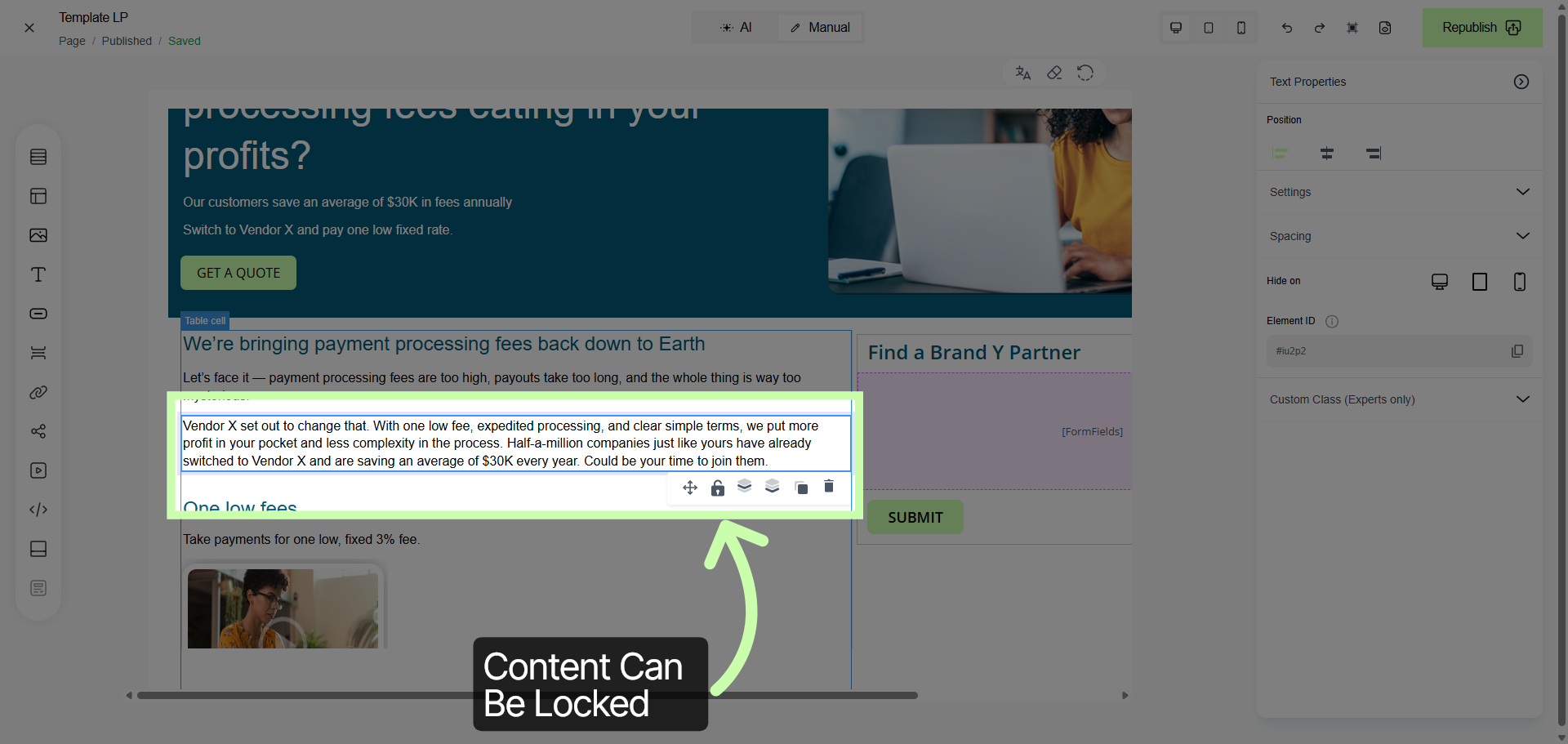
To restrict editing permissions for a specific block or layout element:
Navigate to the section you wish to secure within the editor.
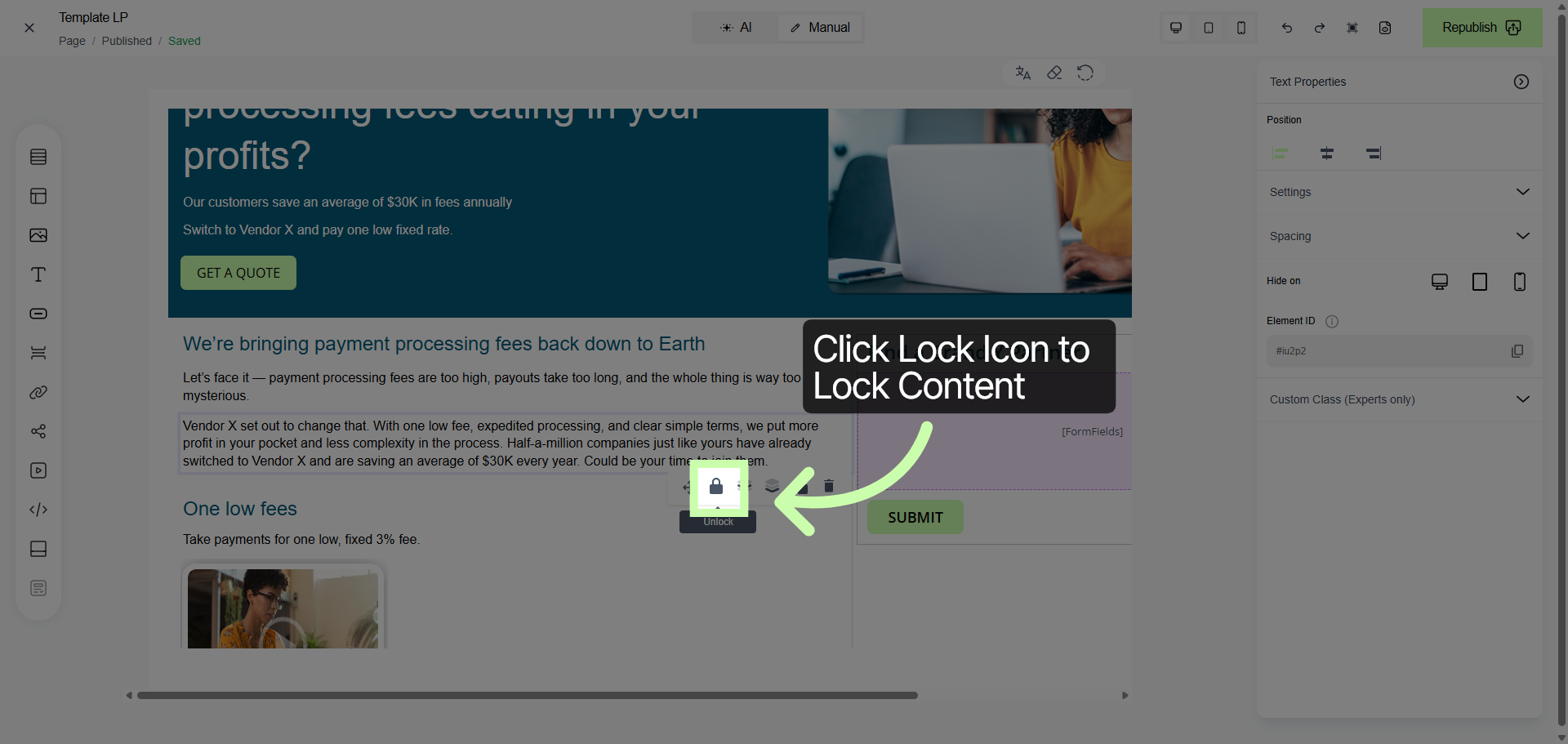
Click the Lock icon associated with that section.
Ensure the icon reflects the locked state before proceeding to Publish.
What does the partner see when a section is locked?
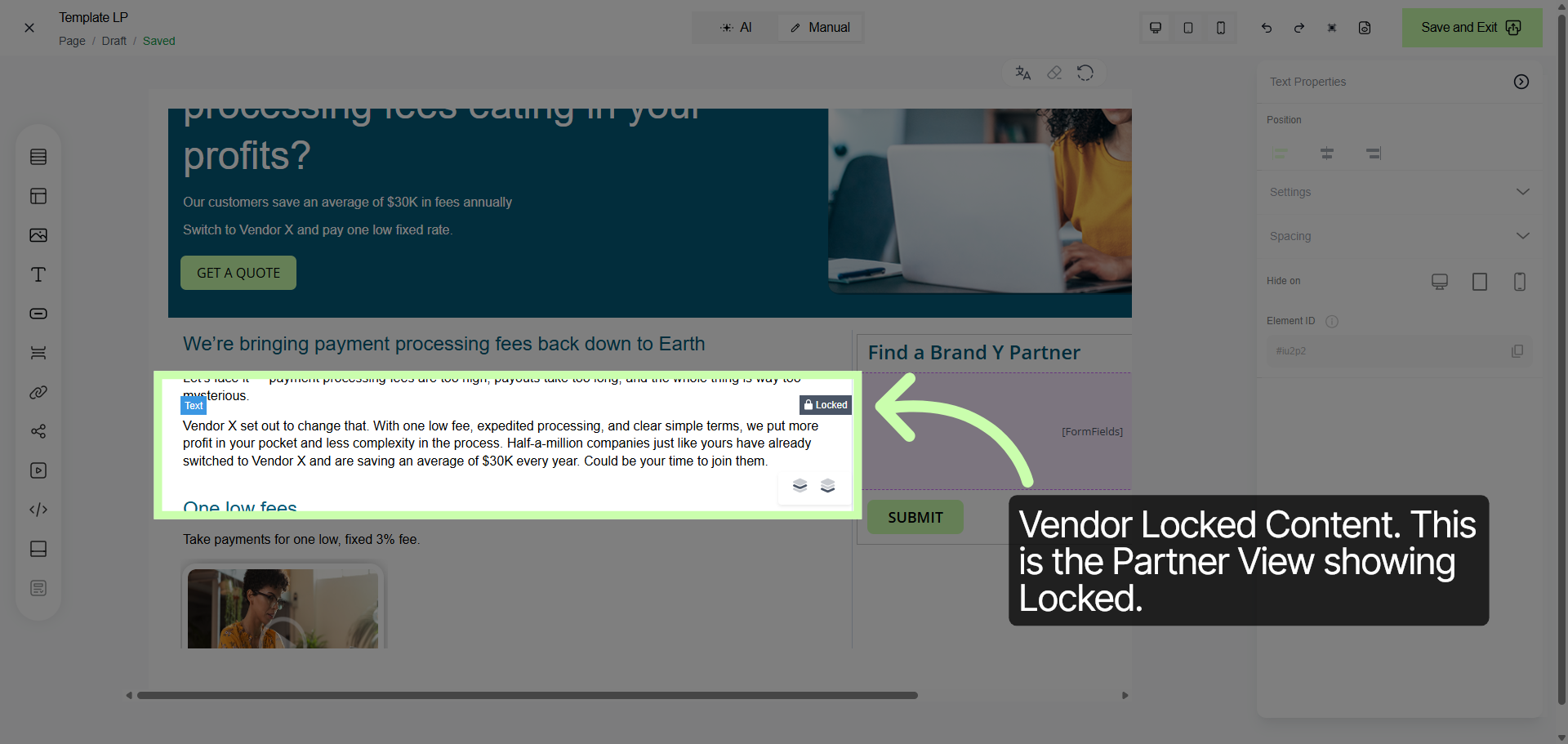
On the Partner side, any locked content will be clearly identified with a lock indicator. These sections will be read-only, preventing the partner from modifying text, images, or configurations within that specific block while they prepare their version of the asset.
Which assets can have locked sections/content?
- Emails
- Landing Pages
- Custom Documents
- Social Posts