
 Adding Content Tags - Phase 3: Maintenance & Activation
- This tutorial demonstrates how to maintain your content tags.
|
Before you begin — open your account This is a hands-on, learning-by-doing session. Open app.structured.ai in your browser and log in to your Tenant Account so you can follow along and apply each step in real time. |
|
Phase 1
Purpose & Framework
|
Start Training ➡ |
|
Phase 2
Building Tag Groups & Options
|
Start Training ➡ |
|
Phase 3
Maintenance & Activation
|
Current Phase ✔ |
Follow Our Step-By-Step Training
1. Introduction
To maintain a well-organized and efficient partner site, you have the ability to manage the tags that are already in place at any time. This means you can review, edit, or remove tags as needed to ensure that the site remains clean and easy to navigate. Regularly managing your tags helps prevent clutter and keeps the content properly categorized, enhancing the overall user experience.
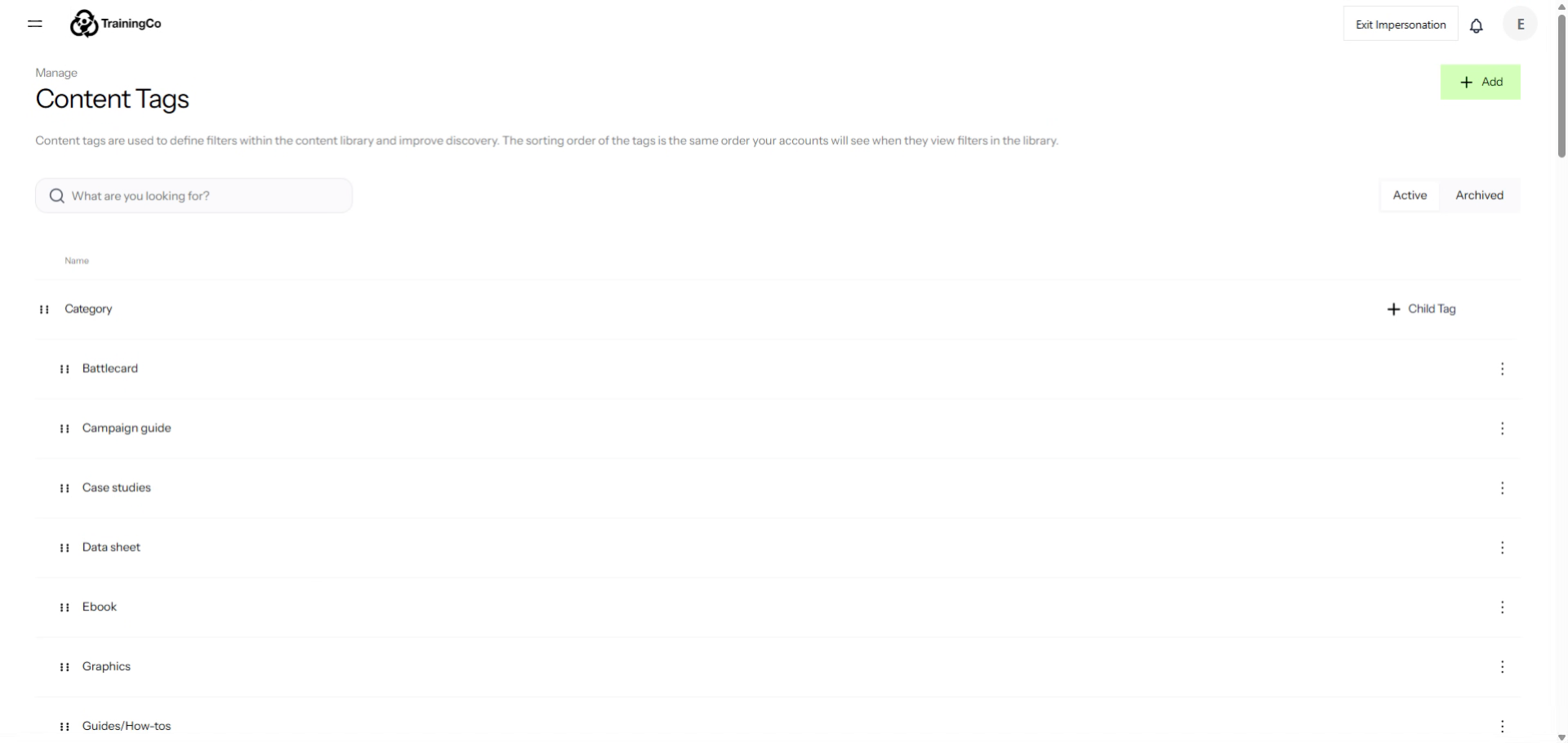
2. Open Battlecard Options
If you decide that you no longer want to support or actively manage a particular category, you have the option to archive it. To do this, simply locate the category you wish to archive and click on the three dots associated with it. This action will allow you to move the category into an archived state, effectively removing it from your active list while preserving its information for future reference if needed.
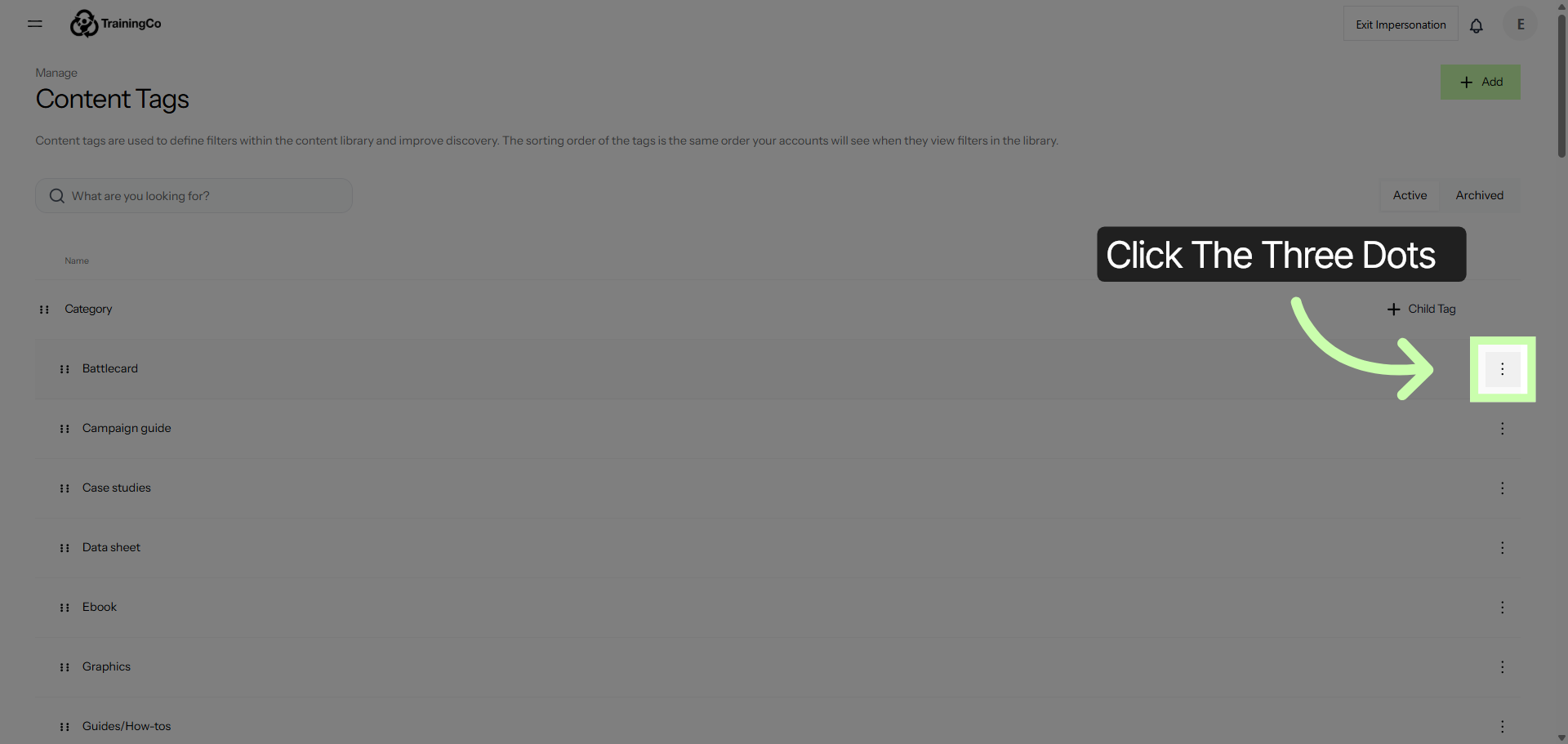
3. Select Archive Battlecard
Then select the Archive option. This action will move the item to your archive, allowing you to keep your main workspace organized while still retaining access to the archived content whenever you need it.
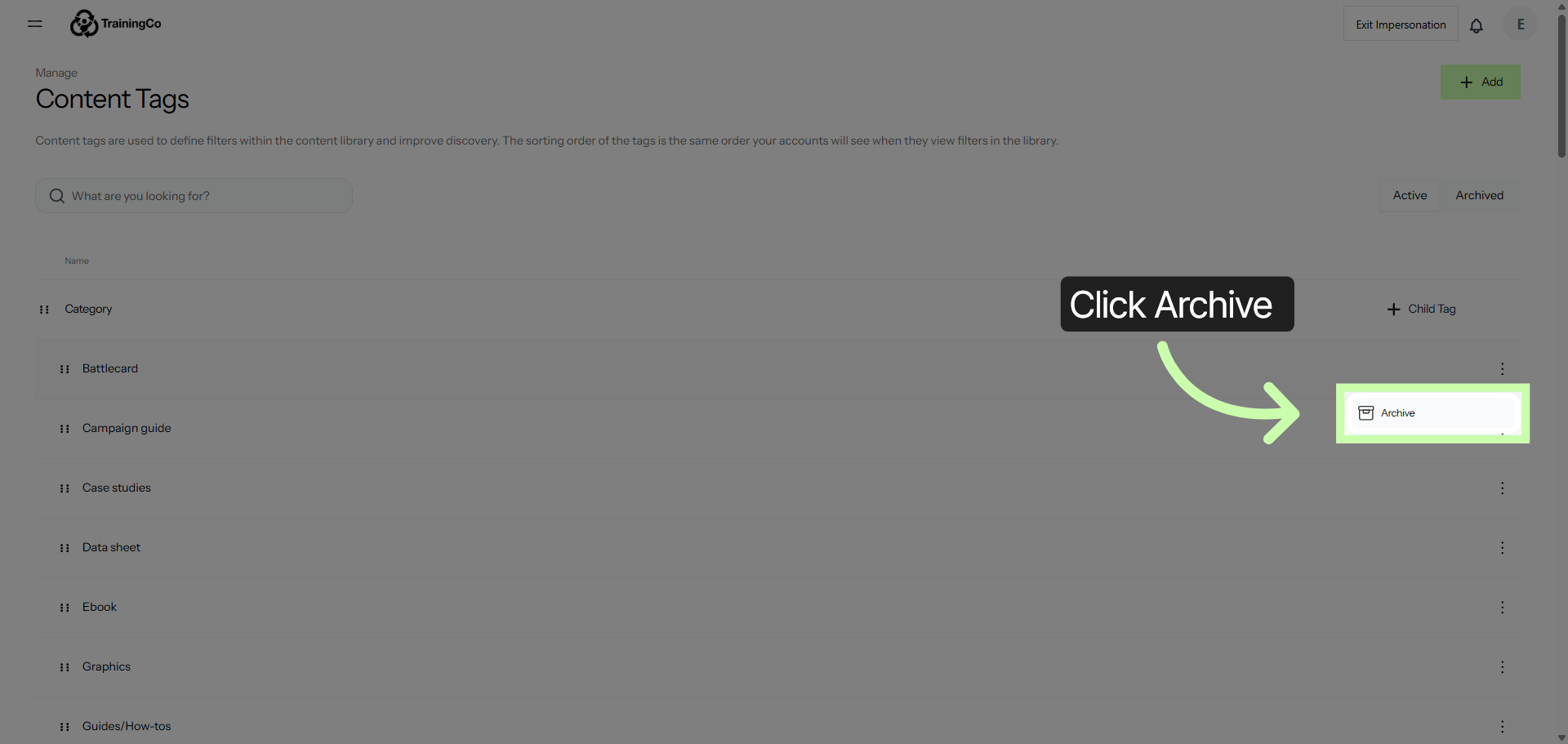
4. Confirm Archiving Action
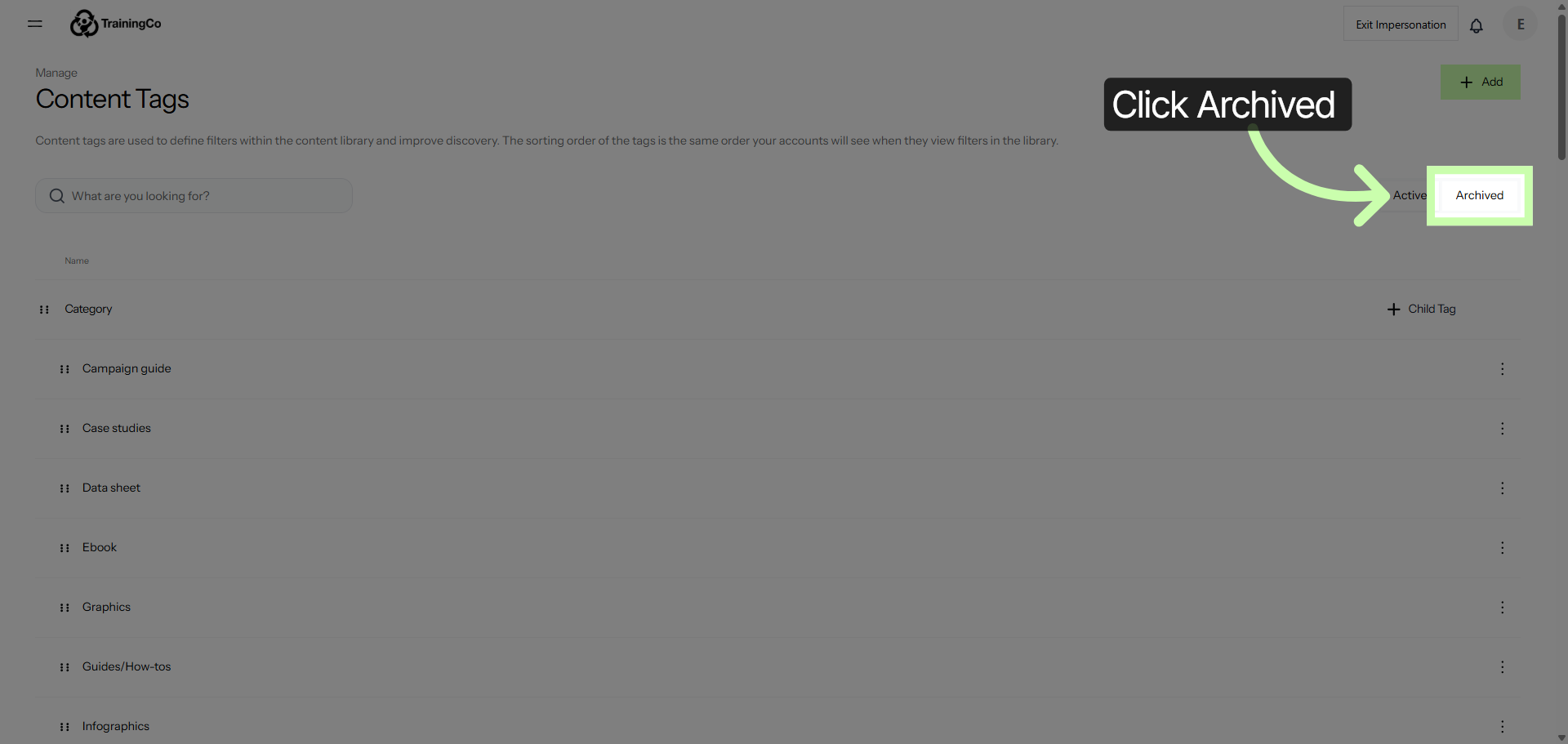
5. View Archived Battlecards
6. Access Archived Battlecard Options
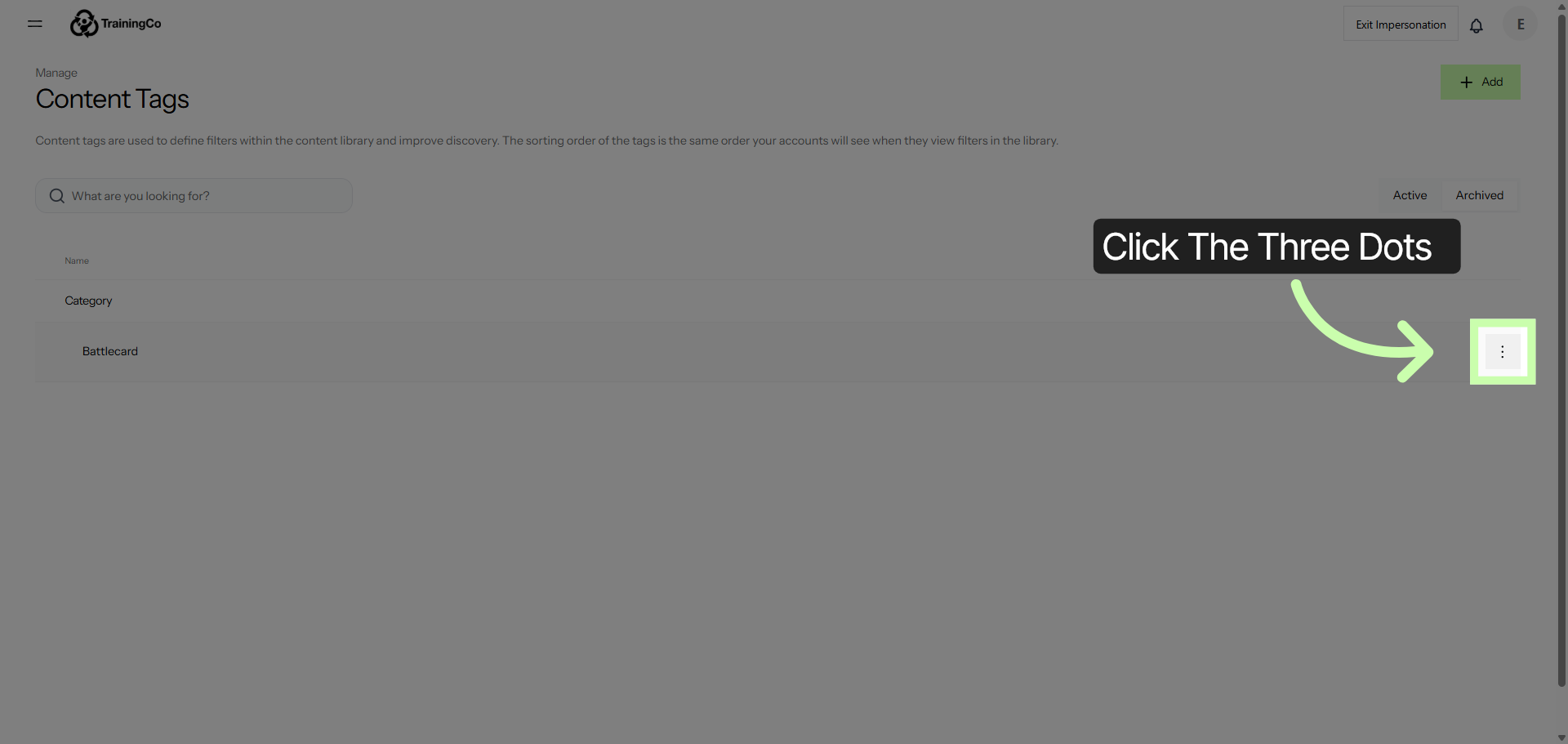
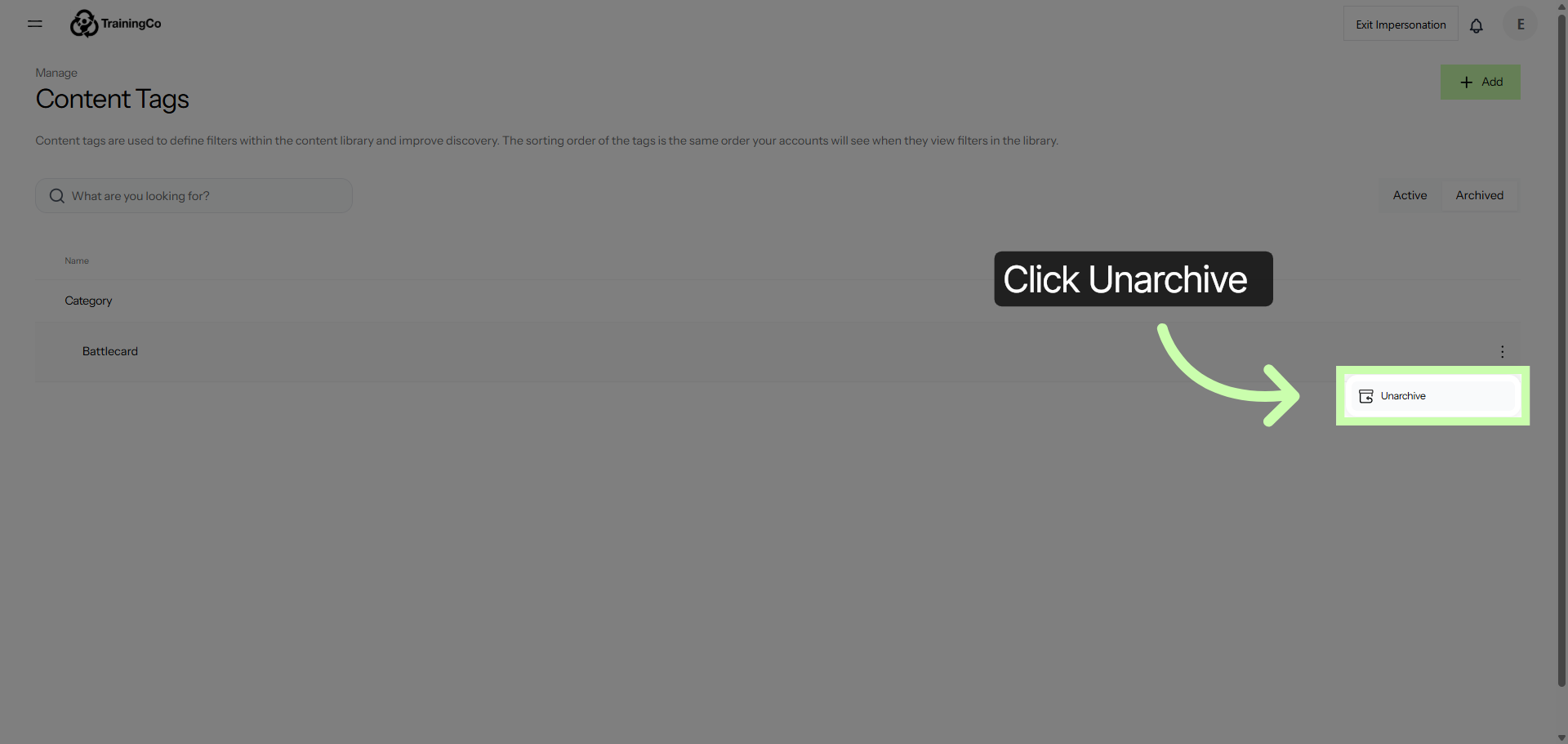
To reactivate your tag, begin by locating and clicking on the three dots icon. From this menu, you can select the option to reactivate your tag, restoring its functionality and making it active again.
7. Choose to Unarchive Battlecard
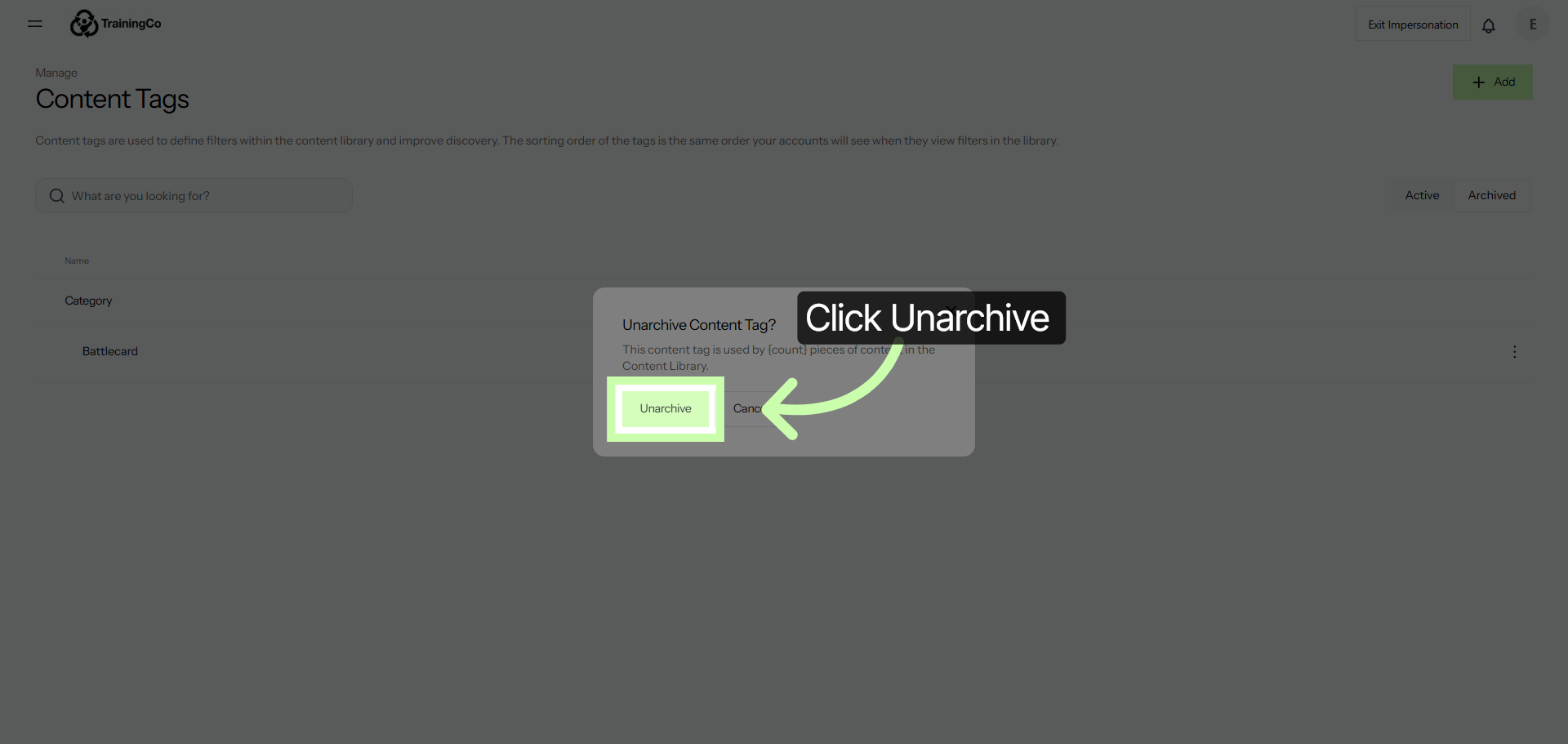
8. Confirm Unarchiving Action
By accurately tagging your assets, you guarantee that each resource is properly indexed within your system. This precise categorization allows for efficient organization, making it much easier for your partners to locate the necessary materials without delay.
Proper tagging enhances the overall discoverability of your assets, ensuring that relevant content can be found quickly and effortlessly whenever it is needed.
This streamlined access not only saves time but also improves collaboration and productivity among your team and external partners.