
 Managing Account Fields - Phase 3: Maintenance & Best Practices
Estimated Time
~15 minutes
Current Phase
Phase 3 of 3
What You'll Accomplish
- Upload multiple assets to the Content Library in a single action.
- Organize and manage bulk uploads efficiently within Structured AI.
- Ensure assets are correctly processed and stored for future use.
- Improve workflow speed by streamlining content ingestion.
|
Before you begin — open your account This is a hands-on, learning-by-doing session. Open app.structured.ai in your browser and log in to your Tenant Account so you can follow along and apply each step in real time. |
Direct Links to the Next Phases in this Training Series
This module is part of a 3-part series. Each session builds on the
last, and reviewing them in order ensures you don't miss any critical
steps and get a complete understanding of the workflow.
|
Phase 1
Purpose & Framework
|
Start Training ➡ |
|
Phase 2
Customizing & Adding Fields
|
Start Training ➡ |
|
Phase 3
Maintenance & Best Practices
|
Current Phase ✔ |
Follow Our Step-By-Step Training
1. Introduction
Understanding account field maintenance is the key to accurate co-branding, ensuring your partners have the right fields in place to represent their brand.
2. Access Privacy Policy Link
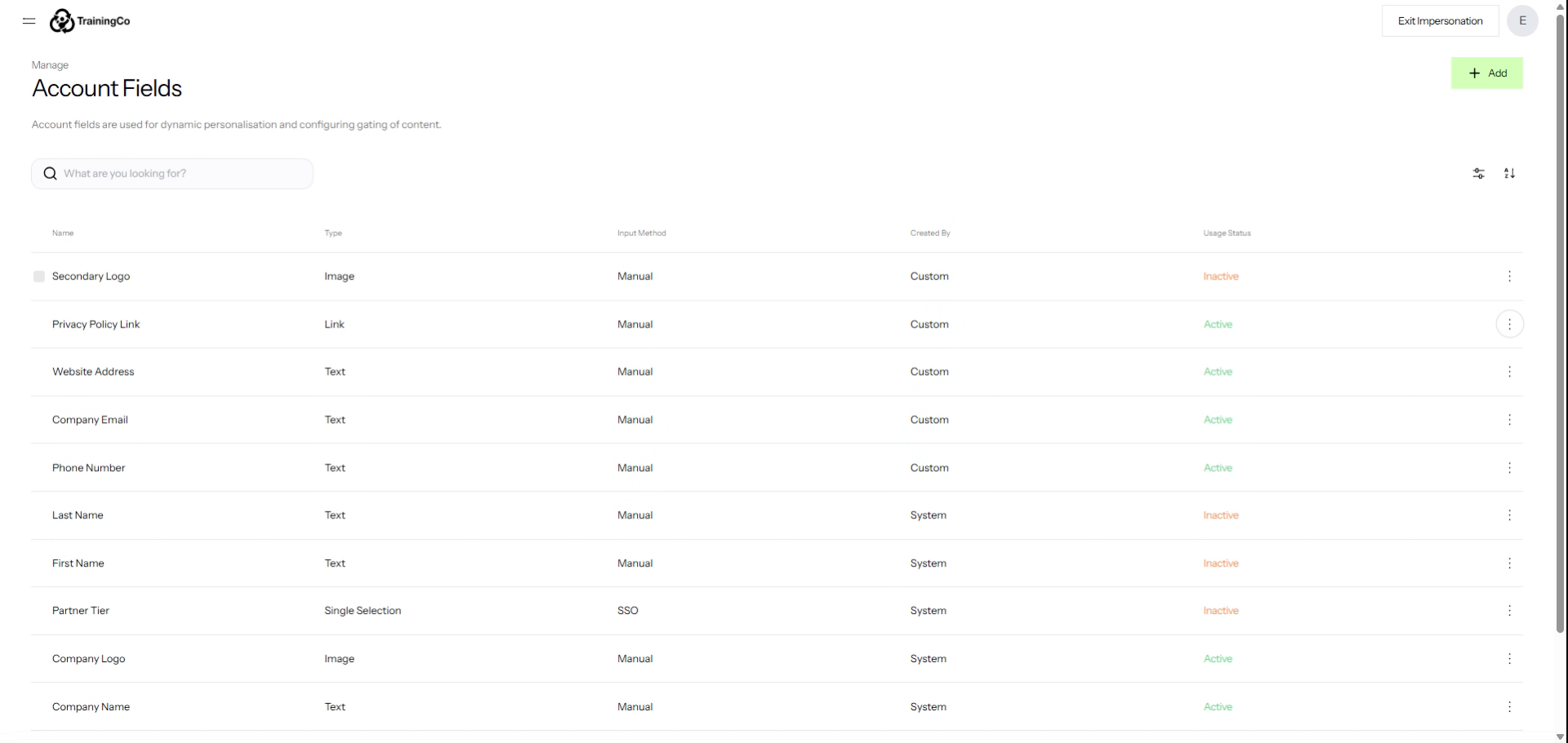
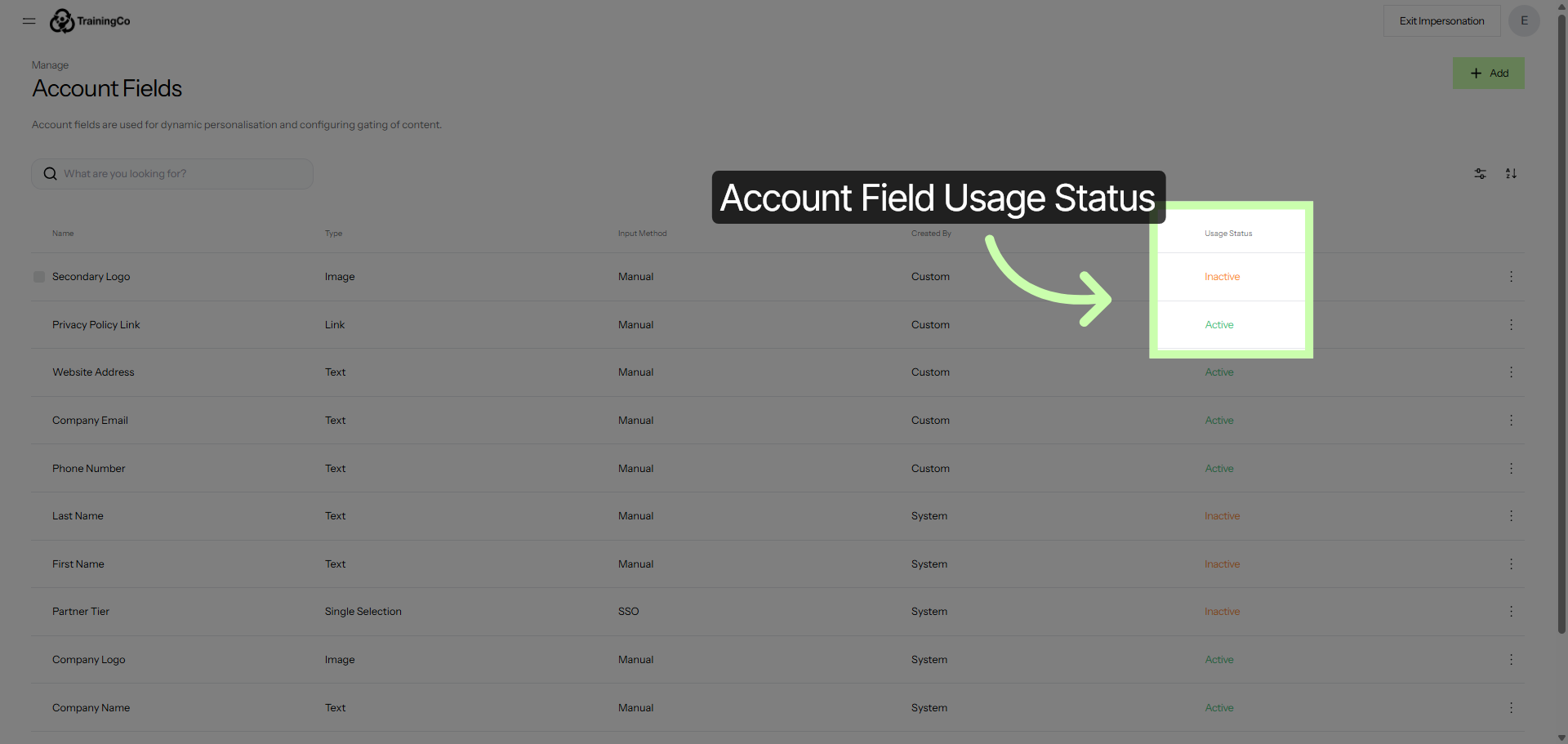
Note that an account field becomes active once a partner activates content that includes the field for the first time.
3. Navigate Within Account Fields Page
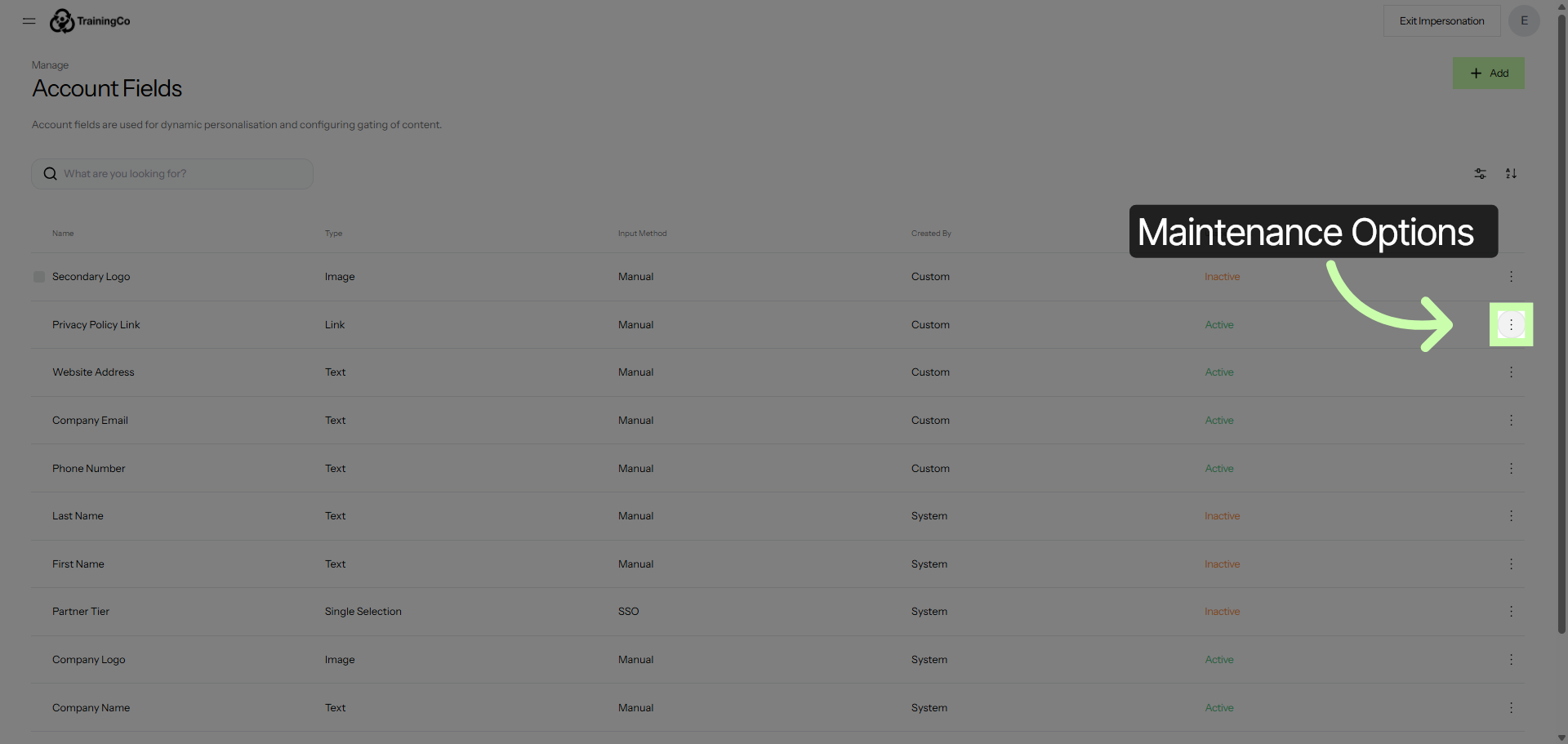
These three dots provide you with the option to edit or archive and are only present when the option applies to the field.
4. Continue Navigation in Account Fields
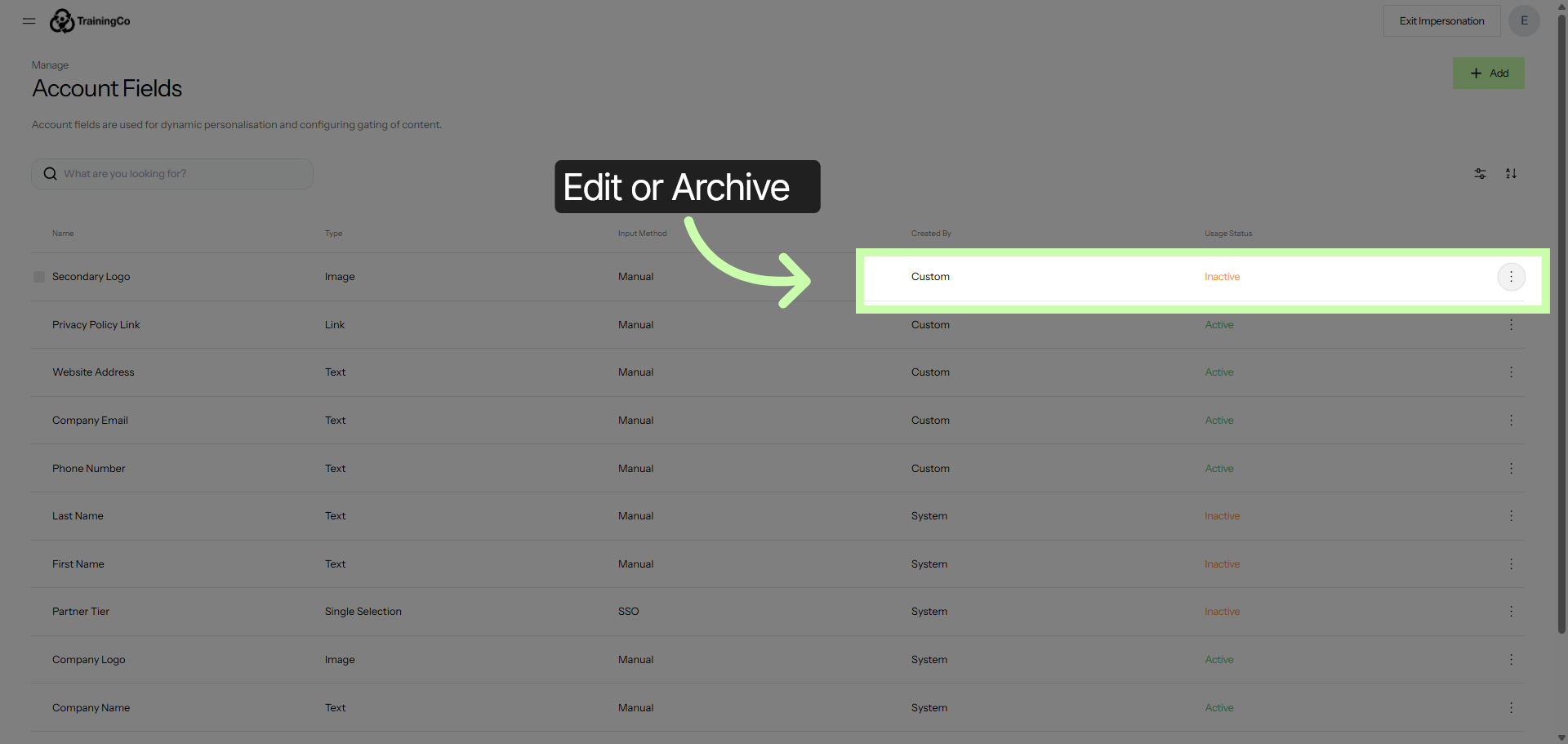
Custom account fields that have not yet been activated can be edited or archived.
5. Open Manage Account Fields Section
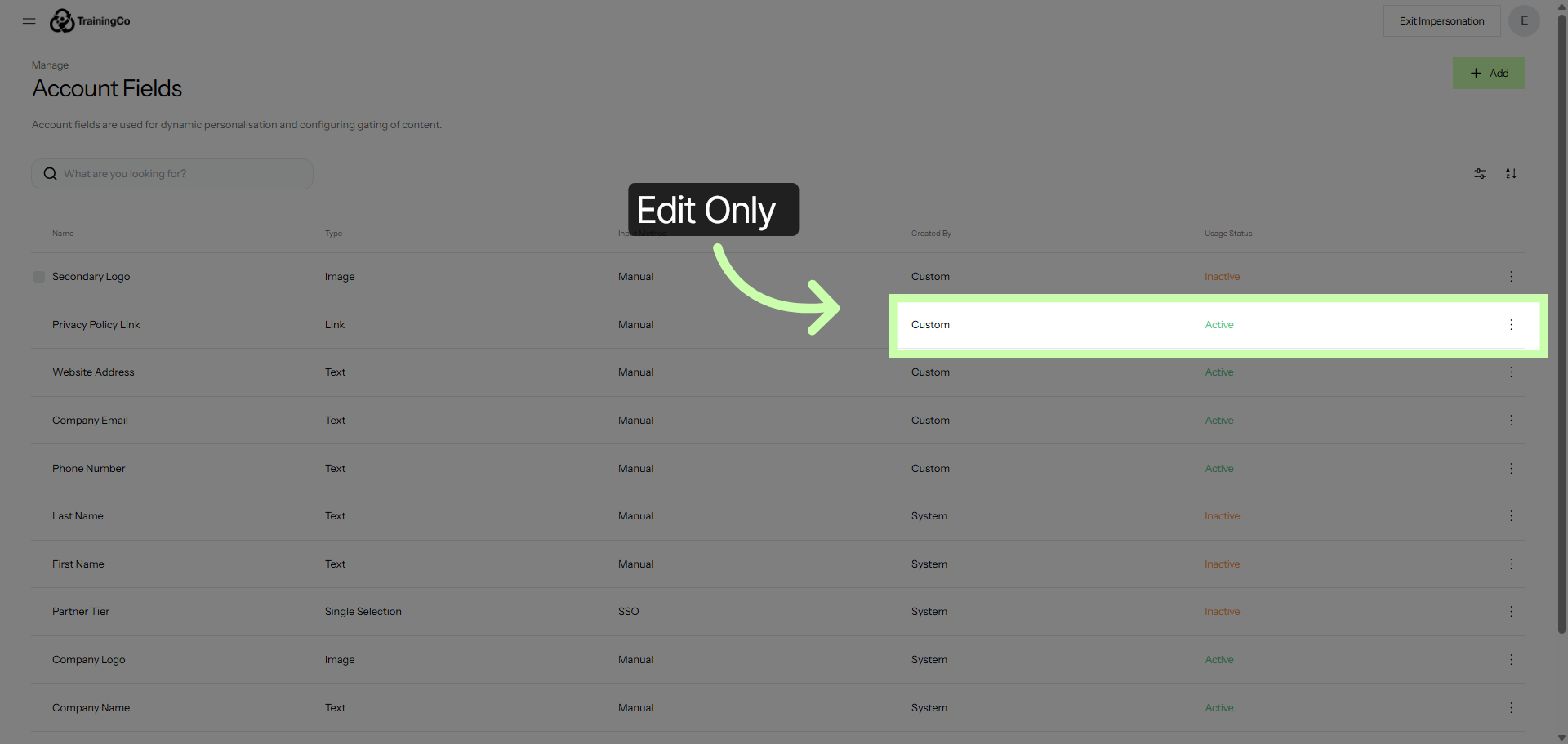
Custom account fields that have been activated can be edited only. This ensures that any active content will not inadvertently break.
6. Advance Within Account Fields Settings
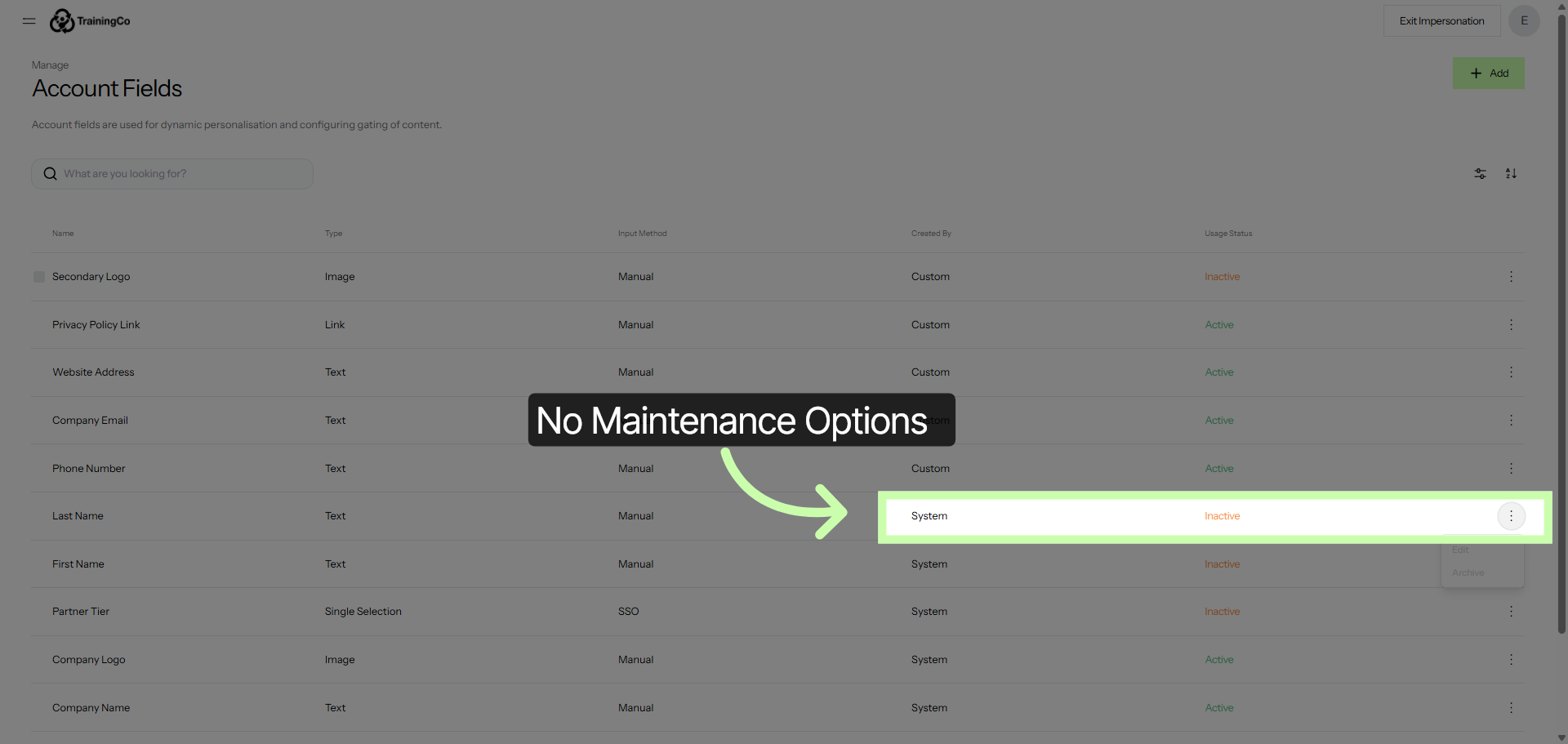
System account fields can not be edited or archived.
7. Save Account Field Changes
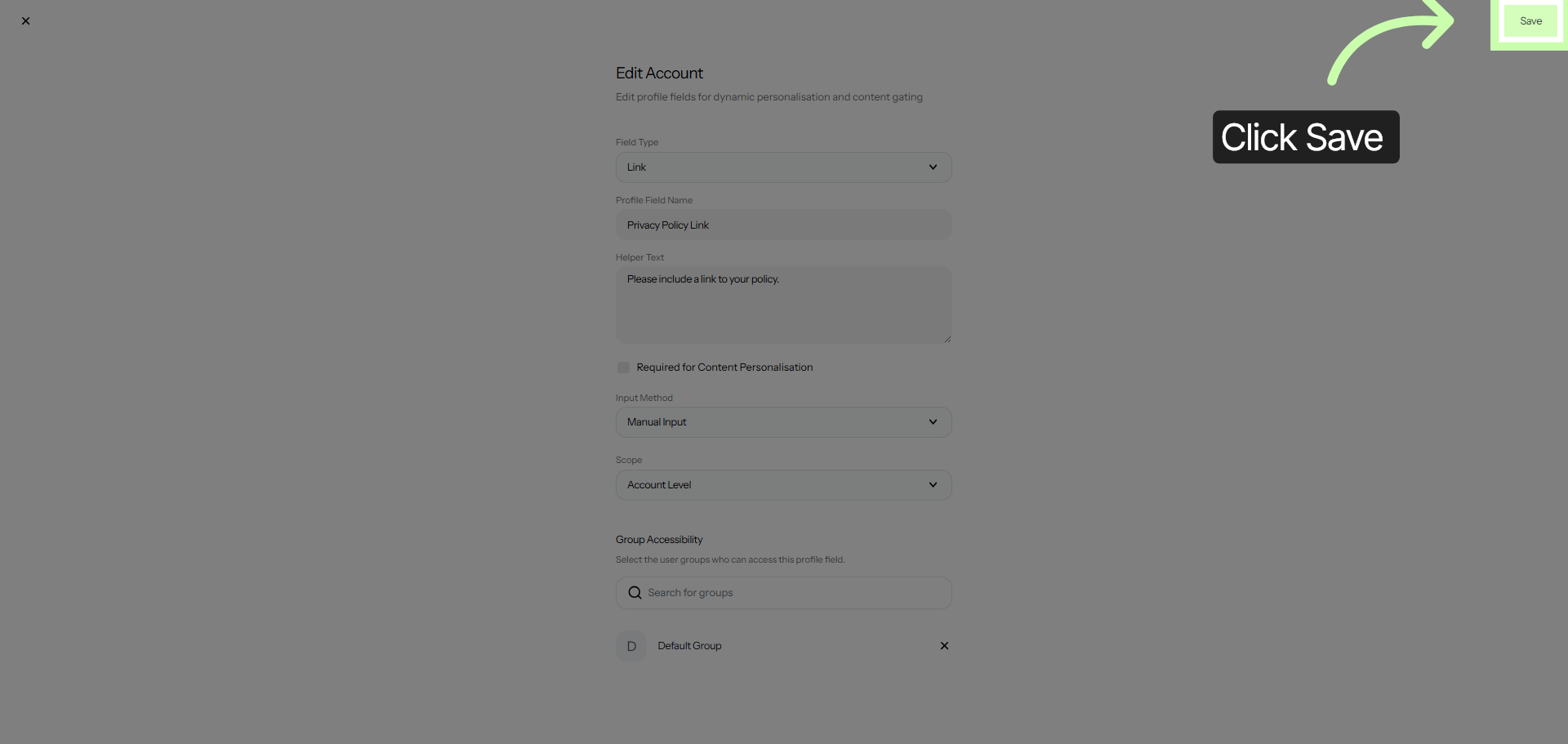
Click save to apply any changes.
You are now equipped with all the necessary tools and resources to effectively manage and maintain your account fields.
This means you can confidently update, organize, and oversee the various details within your account, ensuring everything remains accurate and up to date. With these capabilities at your disposal, maintaining your account information will be a smooth and efficient process.