
 Creating Collections - Phase 1: Purpose & Framework
- The purpose of Collections and how they are used within the platform.
- The framework and structure that organize and support Collections.
- How Collections help manage and organize content more effectively.
- Best practices for creating and maintaining Collections to maximize efficiency.
|
Before you begin — open your account This is a hands-on, learning-by-doing session. Open app.structured.ai in your browser and log in to your Tenant Account so you can follow along and apply each step in real time. |
|
Phase 1
Purpose & Framework
|
Current Phase ✔ |
|
Phase 2
Building the Collection
|
Start Training ➡ |
|
Phase 3
Final Details & Activation
|
Start Training ➡ |
Follow Our Step-By-Step Training
1. Introduction
A Collection serves as a tool specifically created to help organize marketing materials that are not part of an automated workflow. These collections provide Vendors and Partners with the ability to group together related assets based on common themes, target audiences, or specific marketing initiatives.
By using Collections, teams can efficiently manage and access their marketing resources in a structured way, ensuring that all relevant materials are easily found and utilized for various campaigns or projects.
Collections represent the most comprehensive and overarching level of organization within the Structured AI platform. They provide users with the ability to group together multiple campaigns or individual assets, creating a unified and well-structured package.
This feature is designed to offer maximum flexibility, allowing you to tailor and bundle various elements into a single, cohesive offering that can be easily shared with and accessed by your partners. By organizing your content in this way, Collections help streamline management and enhance collaboration, making it simpler to present and distribute your marketing materials efficiently.
2. Open Collection
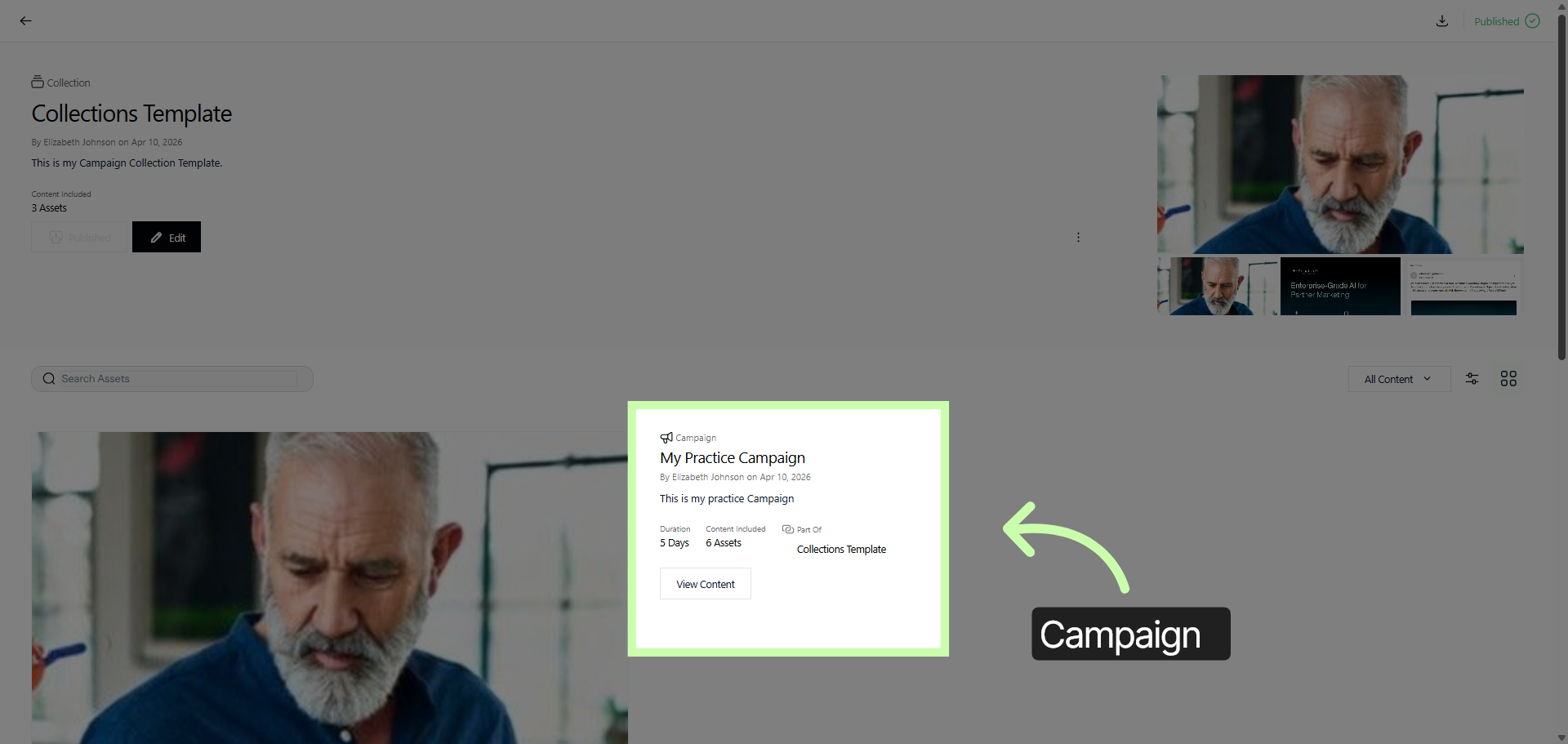
This particular example of a Collection encompasses an entire campaign within it. The collection is not just a simple grouping; it is designed to include a full campaign, which means it contains all the elements and components necessary to represent or execute that campaign effectively.
This integration allows for a comprehensive and organized approach to managing the campaign as part of the collection.
3. Adjust Collection Preview Options
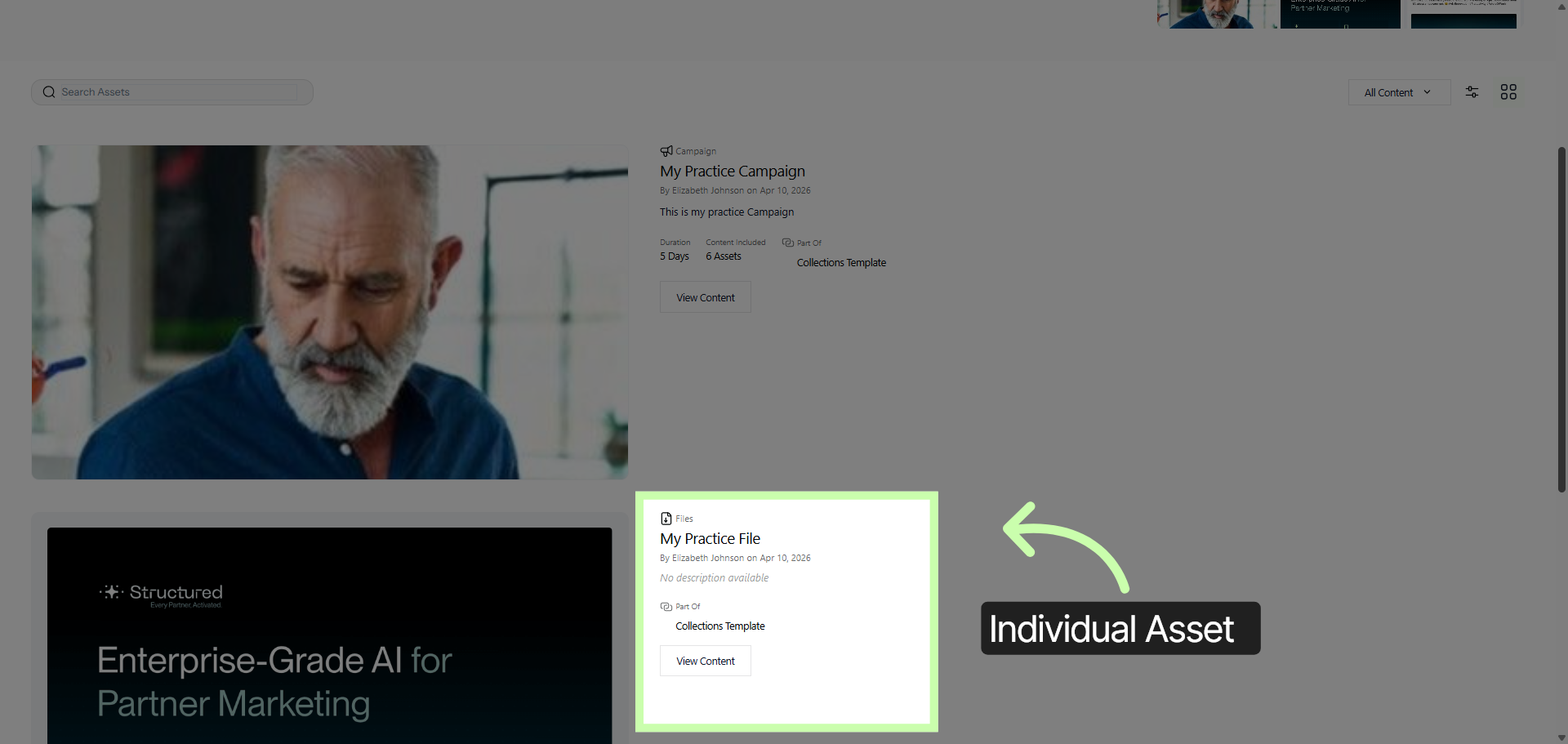
You can observe that it also incorporates a specific individual asset. This careful inclusion is designed to guarantee that partners are provided with the most appropriate combination of content tailored specifically to fulfill their unique requirements and preferences.
By doing so, it ensures that each partner receives exactly what they need to succeed, enhancing the overall effectiveness and relevance of the materials shared.
Phase 1 of Creating Collections is complete. Now, you can continue your learning journey by clicking the link below, which will take you directly to Phase 2 of the training series.